Table of Contents
This is a part of the Ghost Kit Pro plugin.
Purchase the Pro plugin to access this and other advanced features.
The Code Highlight block adds syntax highlighting to the standard code block, which makes a sample easier to read and easier to trust. Highlighting is done with Shiki, which uses the same grammars and color themes as a desktop editor, so the colors are the ones the reader already knows. The block also carries a filename title, line numbers and a copy to clipboard button.
Block options
- Language
- Display Title
- Display Clipboard Button
- Display Line Numbers
- Wrap Lines
Themes
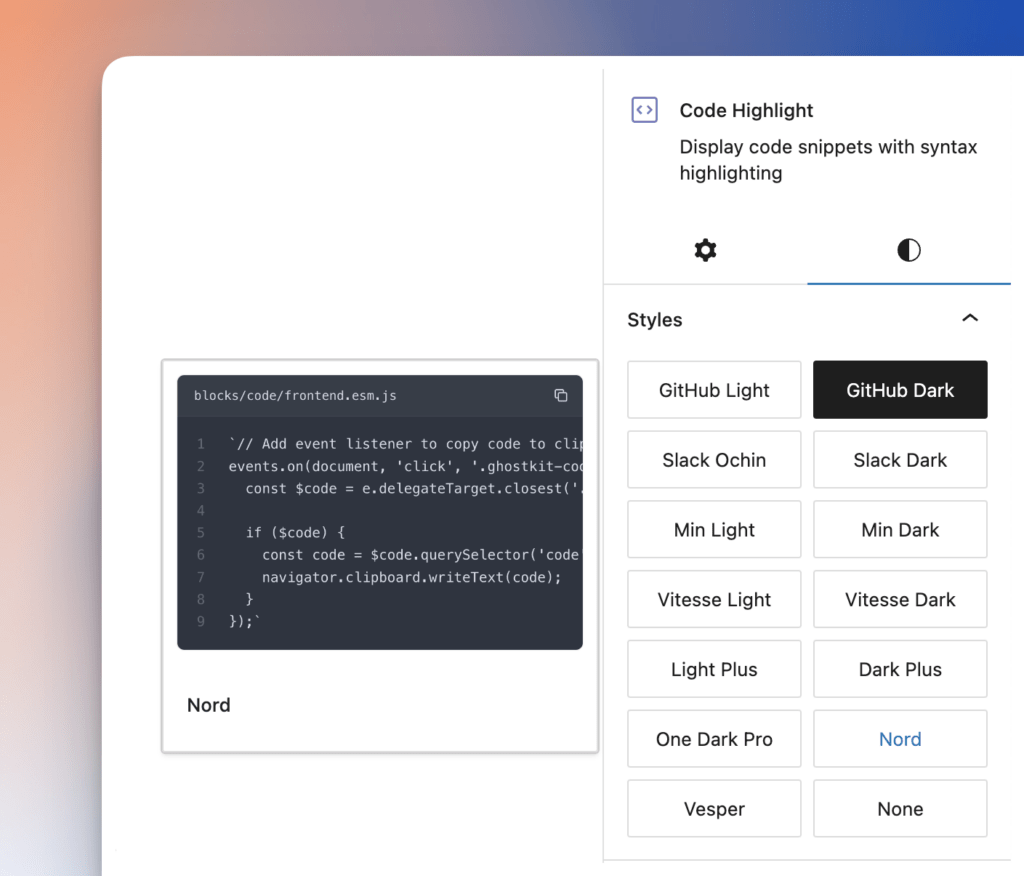
There are 14 built-in themes available, light and dark. To choose it, select the block and open the Styles tab in the block settings:
Languages
The list of supported languages is huge and provided by the beautiful library named Shiki. Find the complete list of supported languages here – https://shiki.style/languages.
Quick Transformation
For a quicker insert block with a needed language selected, there are transformations that support all available languages and aliases, presented here – https://shiki.style/languages. To use it, follow these steps:
- On the new line, type this:
```js - Press Enter
- The new Code Highlight block will be created with selected JavaScript language
Examples
With Title
With Line Numbers
// Add event listener to copy code to clipboard.
events.on(document, 'click', '.ghostkit-code-clipboard-button', (e) => {
  const $code = e.delegateTarget.closest('.ghostkit-code');

  if ($code) {
    const code = $code.querySelector('code').innerText;
    navigator.clipboard.writeText(code);
  }
});Different Themes
This is a small set of available themes, just for example:
// Add event listener to copy code to clipboard.
events.on(document, 'click', '.ghostkit-code-clipboard-button', (e) => {
  const $code = e.delegateTarget.closest('.ghostkit-code');

  if ($code) {
    const code = $code.querySelector('code').innerText;
    navigator.clipboard.writeText(code);
  }
});// Add event listener to copy code to clipboard.
events.on(document, 'click', '.ghostkit-code-clipboard-button', (e) => {
const $code = e.delegateTarget.closest('.ghostkit-code');
if ($code) {
const code = $code.querySelector('code').innerText;
navigator.clipboard.writeText(code);
}
});// Add event listener to copy code to clipboard.
events.on(document, 'click', '.ghostkit-code-clipboard-button', (e) => {
const $code = e.delegateTarget.closest('.ghostkit-code');
if ($code) {
const code = $code.querySelector('code').innerText;
navigator.clipboard.writeText(code);
}
});// Add event listener to copy code to clipboard.
events.on(document, 'click', '.ghostkit-code-clipboard-button', (e) => {
const $code = e.delegateTarget.closest('.ghostkit-code');
if ($code) {
const code = $code.querySelector('code').innerText;
navigator.clipboard.writeText(code);
}
});